
Wild Card City login
Open the casino and select Login in the header to access an existing account. The account platform carries the Joka name. Enter your credentials there.
How to log in
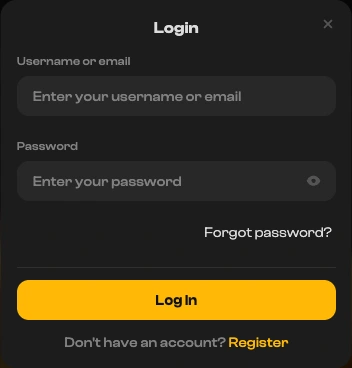
- Open the casino and choose Login in the top right. The yellow Register button beside it starts a new account.
- In Username or email, enter the name you picked at registration or the email address you used. Both go in the same field.
- Enter your password in the second field. On a private screen, the eye icon lets you check a mistyped character. Select Log In at the bottom of the form.

Reset a forgotten password
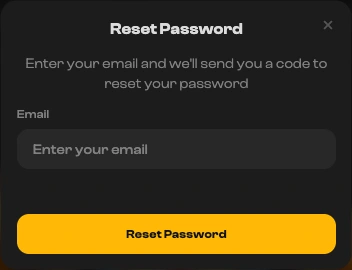
- Choose Forgot password? below the password field.
- Enter the email address linked to your account and select Reset Password. Joka says it will email you a code.
- Open the message and follow its instructions to set a new password. Return to Login and enter the new password. If your browser offers to update its saved password, check the username before saving.
If you still cannot sign in
No reset email? Check the spelling of the address and look in your junk folder. If you have lost access to that inbox, choose Contact Us on the casino platform and ask about recovering the existing account.
Your old password keeps appearing? Clear the autofilled password and type the new one. If you have several saved logins, check which email or username the browser filled in as well.
Looking for your VIP account?
The casino has a VIP section in its main menu. Sign in with your existing account before checking your rewards. If a VIP invitation refers to an account you can no longer access, use the chat, telephone or email contact details on the operator’s site before opening another account. Have the invitation and the email address associated with your account handy. Keep your password and any one-time code private.
Using your phone? See how to save the mobile site. First-time visitors can read the registration guide.